Archive | Wordpress RSS feed for this section

McAfee – Error Submitting Site for Verification

26 Aug

McAfee Site Advisor

McAfee Site Advisor

I launched a new website based on WordPress. McAfee was showing RED alert for this domain because this site is new and it was not verified. When I tried to verify the ownership of this wordpress powered blog McAfee site verification showed following error.

Posting Web Site Owner Comments
Error Submitting Site for Verification
It appears that the Web site is returning an HTTP 2xx or 3xx status response code in the header of 404 pages

This is a typical error shown by McAfee Site Advisor when you try to verify the ownership of any WordPress based blog. It’s a bug in McAfee Site Advisor system which remains unfixed.

The solution to this problem is simple.

1) Rename the .htaccess file

2) Submit the verification again

3) Get the file name provided by McAfee Site Advisor and upload it in the root of your site.

4) Bring back the .htaccess file.

Smile :)

An Unexpected HTTP Error occurred during the API request

1 Aug

Wordpress - An Unexpected HTTP Error occurred during the API request

Wordpress - An Unexpected HTTP Error occurred during the API request

Very strange, while installing new plugins I saw following error in the Plugin page in the WordPress Admin on following page

/wp-admin/plugin-install.php

An Unexpected HTTP Error occurred during the API request.

I’ve to dog down further to find out what could be the problem. From the error it is obvious that it is a timeout issues. The website and internet connection seems to be slow today (Sunday).

BT broadband sucks during the weekends, they come to dead slow quite often.

In the earlier versions before 3.0 the solution was to increase the timeout value in http.php file. However I can’t find this piece of code in wordpress 3.0.1.

Solution yet to be found…

Just to update those who have tuned to this post…

This was a timeout issues as it is clear from the error. May be server was hibernating or Internet connection was slow.

This error doesn’t appear anymore.

So guys I’m not going to investigate into it anymore.

If you still can’t find a solution then try to change the timeout value as explained elsewhere and see if it solves.

If not then switch to a dedicated server, shared hosting always sucks….

Unfortunately I host my own blog on such a sucker host ;) may be sometimes later I’ll swith host.

Warning: file_get_contents() [function.file-get-contents]: URL file-access is disabled in the server configuration in /wp-content/plugins/digg-digg/dd.class.php on line 693

16 Jun

I’ve been using Digg Digg plugin for quite some time and found it very useful. It allows one click submission to various social media.

Today, out of nowehere, I start seeing the following error on one of my blogs.

Warning: file_get_contents() [function.file-get-contents]: URL file-access is disabled in the server configuration in /wp-content/plugins/digg-digg/dd.class.php on line 693

Warning: file_get_contents(http://feeds.delicious.com/v2/json/urlinfo/data?url=.. [function.file-get-contents]: failed to open stream: no suitable wrapper could be found in ../wp-content/plugins/digg-digg/dd.class.php on line 693

This blog is hosted on 1&1 web hosting.

Digg Digg plugin works fine on rest of my hosts which are hosted on dedicated servers, Bluehost, Hostgator etc.

It was quite strange.

The error clearly says that Host doesn’t allow remote connection? Weired.

Which means fopen is not turned on? That is certainly not the case as I’ve been using 1&1 since ages and in many other plugins and applications fopen works.

Next solution was to turn on allow_url_fopen in php.ini

;;;;;;;;;;;;;;;;;;

; Fopen wrappers ;
;;;;;;;;;;;;;;;;;;
; Whether to allow the treatment of URLs (like http:// or ftp://) as files.
allow_url_fopen = On

Which is already On.

So what could be the problem now?

Simple Steps to Speedup Slow WordPress

11 Jan

There are plenty of methods to speedup wordpress. You can find a lot of information on how to speedup wordpress on the Internet however most of those methods are either complex or impossible to achieve due to various limitations.

Since most of us host the wordpress on 3rd party hosts which give us very less scope to tweak mysql server as such so we are left with optimizing the WordPress code itself.

One of the most sluggish blog which I’ve handled is Australian Open. It used to be tremendously slow in the past. I’ve applied most of the following methods in it and now it seems to be quite fast.

Following are some of the methods which I follow.

1) Hard coding some of the dynamic code

In header.php file you will a lot of dynamic calls which you can replace by static text.

E.g.

<meta http-equiv=”Content-Type” content=”<?php bloginfo(‘html_type’); ?>; charset=<?php bloginfo(‘charset’); ?>” />

Replace above line with followings, it will get rid of 2 function calls.

<meta http-equiv=“Content-Type” content=“text/html; charset=UTF-8″ />

<?php bloginfo(‘name’); ?>

Replace

<?php bloginfo(‘name’); ?>

by the Blog Title Australian Open Tennis in <title>..</title>

Replace the http absolute reference by relative reference

E.g.

Replace
<?php bloginfo(‘template_directory’); ?> by
/wp-content/themes/Australian Open Theme

Replace
<?php bloginfo(‘name’); ?>
by the title of Blog
Australian Open Tennis

Replace <link rel=”pingback” href=”<?php bloginfo(‘pingback_url’); ?>” />
by
<link rel=”pingback” href=”xmlrpc.php” />

Replace

<link rel=”alternate” type=”application/rss+xml” title=”Australian Open Tennis RSS Feed” href=”<?php bloginfo(‘rss2_url’); ?>” />

by

<link rel=”alternate” type=”application/rss+xml” title=”Australian Open Tennis RSS Feed” href=”http://www.australianopen4u.com/feed” />

2) Install WP Super Cache Plugin

3) Get a good web host

BlueHost, Hostgator, DreamHost are notoriously slow for WordPress.

In my experience 1&1 seems to be the best host for WordPress.

Visit Web hosting Review to find out the best host for wordpress.

Best WordPress Themes

6 Dec

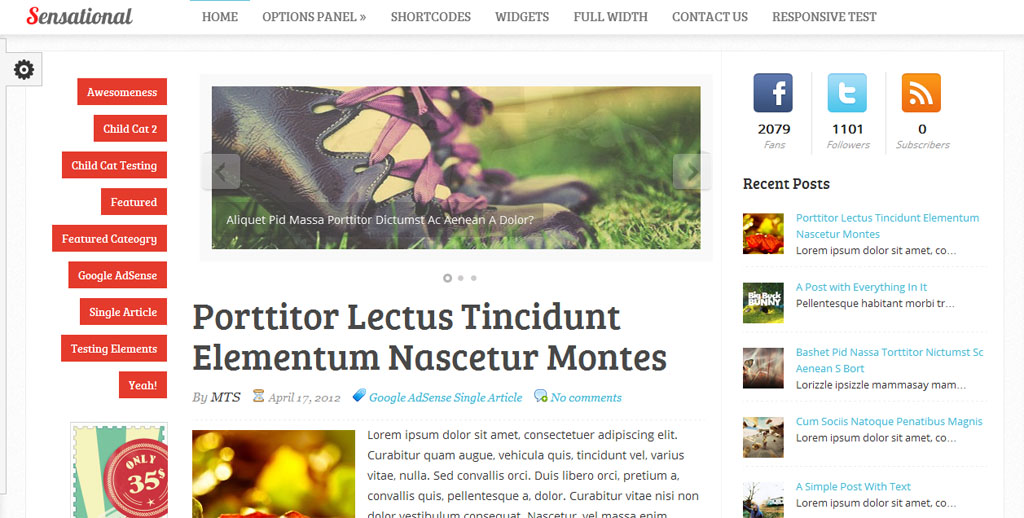
Some of my all time favorite wordpress themes…

Freelance JobsFreelance Jobs

Simple but elegant 3 Column WordPress Theme.

Texas Holdem PokerTexas Holdem Poker

3 Column WordPress Theme.

Omaha PokerOmaha Poker

3 Column WordPress Theme.

Stud PokerStud Poker

3 Column WordPress Theme.