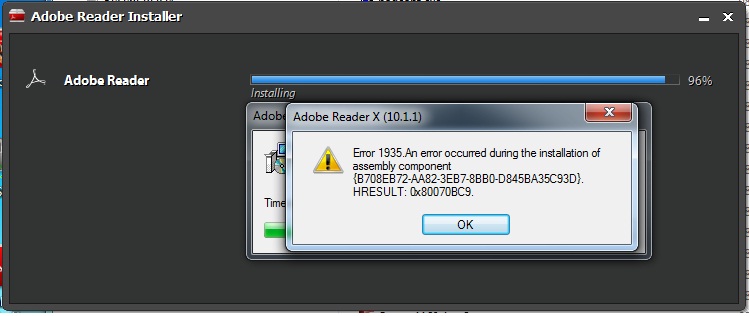
I updated Operating system to Windows 7. While installing Adobe Reader X (10.1.1) on Windows 7 I received following error.
Error 1935. An error occurred during the installation of assembly component {B708EB72-AA82-3EB7-8BB0-D845BA35C93D}. HRESULT: 0x80070BC9
This is very strange, I’ve never seen any Adobe Reader installation error in the past.
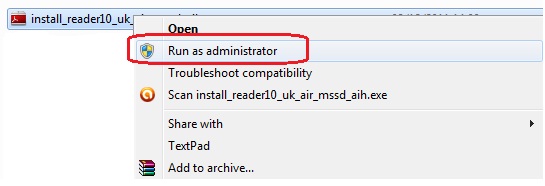
At first I thought it might be due to the user permission issue. In next attempt I tried to run the Adobe Reader installer as administrator.
To run Adobe Reader installer as Administrator, right click on the installer and select Run as administrator.
However this didn’t solve the problem.
Finally I did some search and found the solution.
The solution is to disable all startup items (and services) and then install Adobe software.
Updated: As mentioned by JB below in comments if you have Windows updates to be installed then let them install first and try to install Adobe software. If this doesn’t solve problem then proceed with following solution.
How to disable startup items and services?
1. Close all application
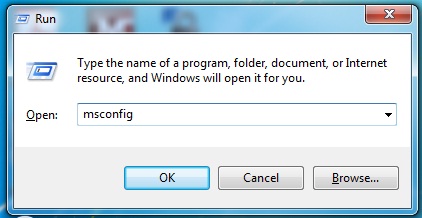
2. Launch System Configuration utility.
Windows key+R
Type msconfig and hit Enter key
3. In the System Configuration window, click on Startup tab
4. Uncheck all the Startup items which are checked. Note down the items which you have unchecked as you will need to check them again after installation.
5. Click on Apply, OK and restart Windows.
6. On Adobe site they have suggested to stop all the services tool. I didn’t do it. For me just disabling Startup items worked. If disabling Startup items doesn’t work for you then in next attempt you can disable the Services too.
7. Once Windows start, disable any services which are started. No need to restart Windows.
Run the Adobe Reader Installer as Administrator. Running as Administrator might not needed and you can run as normal user. If you get any permission related error then you can run the installer as Administrator.
That’s it.
If you are using any other operating system such as Windows Vista, Windows XP etc then you might try above method or refer to Adobe site for help.
This error is not limited to Adobe Reader only, you might get the same error for other Adobe products.
I saw this error when I was installing Adobe Acrobat Pro X. However I didn’t see this error during installation of Photoshop, Dreamweaver or Flash applications.
Total Time Waste: About an hour.
People to Blame: Adobe and/or Microsoft.


Leave a Reply